
Start with a Single Core Concept
You do not need to write a novel to get a script. Start by entering a single sentence that defines the main conflict or plot twist of your story. For example, 'A cold CEO discovers his secretary is actually a hidden princess.' Be specific about the genre, such as romance, suspense, or business. This simple input serves as the foundation for the AI to build the entire series structure upon.
- Input one sentence to start the process.
- Specify the genre to set the tone.
- Let the AI generate the structure.
Generate Character Profiles Instantly
The AI automatically creates detailed character profiles based on the script context. It generates names, ages, and backstories that fit the plot. You can manually adjust the appearance and personality traits to fit your vision. On the platform, this ensures that the AI actors selected for production will have the same face across all episodes, which is essential for maintaining visual consistency without expensive reshoots.
- AI generates names and backstories.
- Adjust physical traits and personality.
- Ensures consistent AI actor faces.
Scripts you can shoot right now
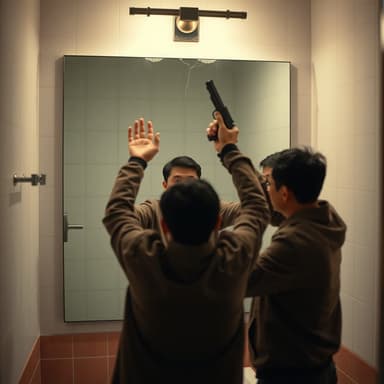 Mirror, Mirror, Be NiceNoah practices his big confession in the bathroom mirror. Th
 Same Order, AgainBarista Ivy is stuck reliving the same Monday. The loop only
 The Great Phone HeistWhen the principal confiscates Jay's phone—with his unsent c
 Rainy StationFor a year, two strangers have waved at each other through t
Structure Your Episode Breakdown
Once the characters are set, the AI structures the episodes into a logical timeline. It provides a breakdown of the plot progression, including key twists, emotional beats, and cliffhangers for each episode. Review this outline to ensure the pacing feels right for a short drama format. You can ask the AI to expand on specific scenes or change the direction of the plot before moving to the next step.
- Get a timeline for all episodes.
- Identify key twists and cliffhangers.
- Adjust pacing and plot direction.
Draft the Full Scene Scripts
With the outline ready, the AI writes the detailed scripts. This includes dialogue, stage directions, and scene descriptions. Read through the generated text to fix any awkward phrasing or logical gaps. The goal is to get a solid draft that you can use for voiceover recording and video editing. This step turns the high-level structure into actionable content.
- Generate dialogue and stage directions.
- Review for flow and logic.
- Prepare for production.
Refine and Quote Your Production
Review the generated script for logical flow and tone. If the AI fails to meet expectations, you can regenerate specific sections or adjust the prompt. Once satisfied, use the platform to generate a shooting quote or rent the AI actors and assets. This streamlines the transition from script to screen, allowing you to produce content efficiently.
- Regenerate scripts or specific sections.
- Use platform to generate shooting quotes.
- Rent assets for final production.